跳到主要內容

Prompts

3D website section prompts

3D on a website can feel remarkable or be a slow, battery-draining mistake, and the difference is in the details. These prompts describe scenes built with Three.js that are light enough to load quickly, keep the page usable when WebGL is unavailable, and calm down for visitors who prefer reduced motion. Each one says what the camera does, what responds to the pointer or to scrolling, and what a visitor sees when the 3D layer cannot run. If you searched for a Three.js hero section prompt, the live previews show the real result before you copy a word.

  • Murmur Particle Field Hero preview

    3D and Three.jsWith a plan

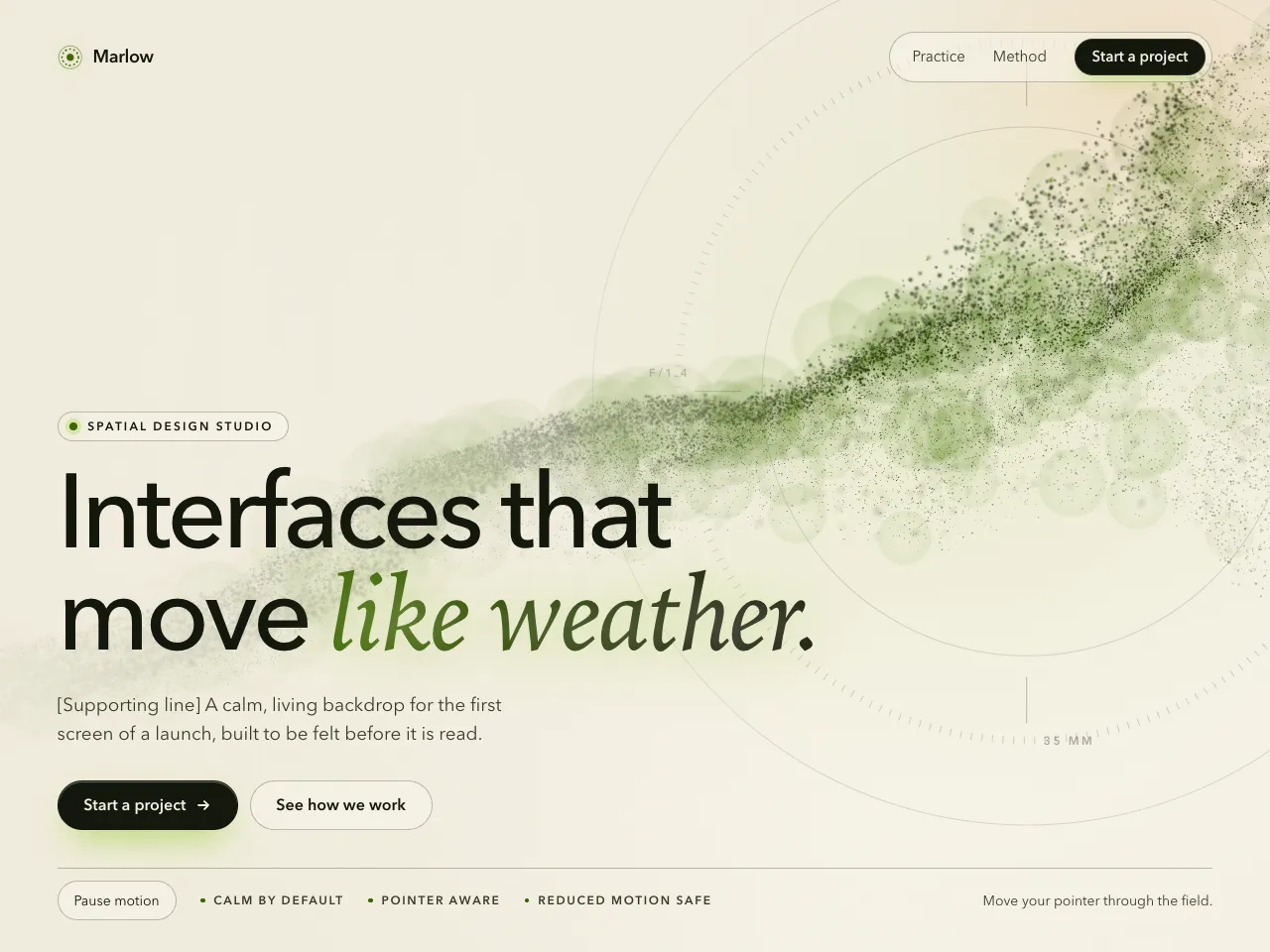
    Murmur Particle Field Hero

    A cinematic full-viewport hero over 52,000 GPU particles that breathe between a ribbon and a sphere, with depth of field, bokeh, additive glow, a hot core thread, film grain and a lens reticle. Three.js, dark and light.

    • Dark
    • Bold
    • Cl
    • Cu
    • v0
    • Lo
    • Bo
    View
  • Facet Scroll Product Showcase preview

    3D and Three.jsWith a plan

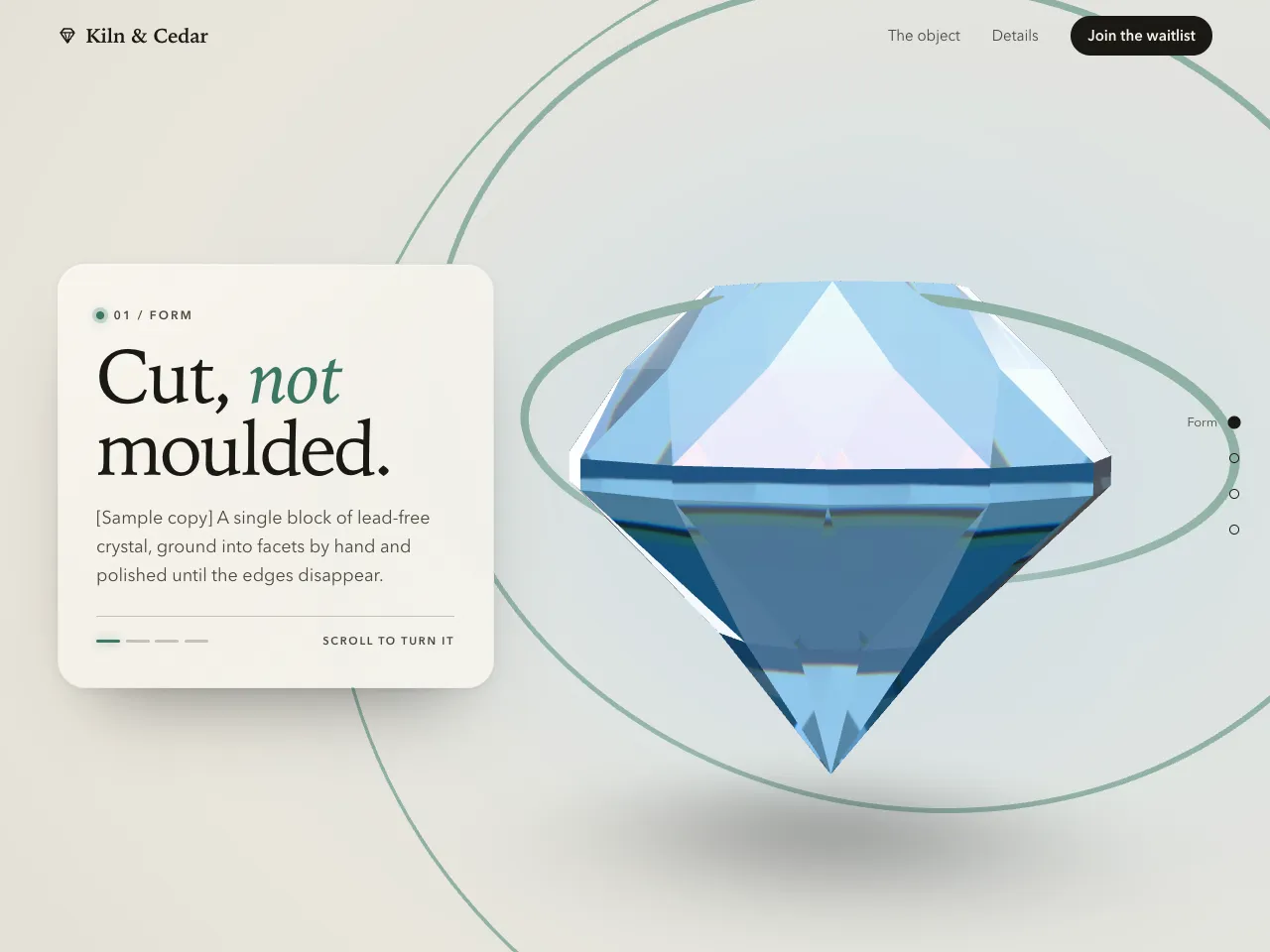
    Facet Scroll Product Showcase

    A four-chapter product page with one sticky canvas: a procedural gem in transmissive, dispersive glass lit by a baked studio, on a lit sweep with a rim glow, while the camera dollies along a spline and the finish changes as you scroll. Three.js, no HDR files.

    • Bold
    • Minimal
    • Cl
    • Cu
    • v0
    • Lo
    • Bo
    View
  • Isoline Waves Background preview

    3D and Three.jsWith a plan

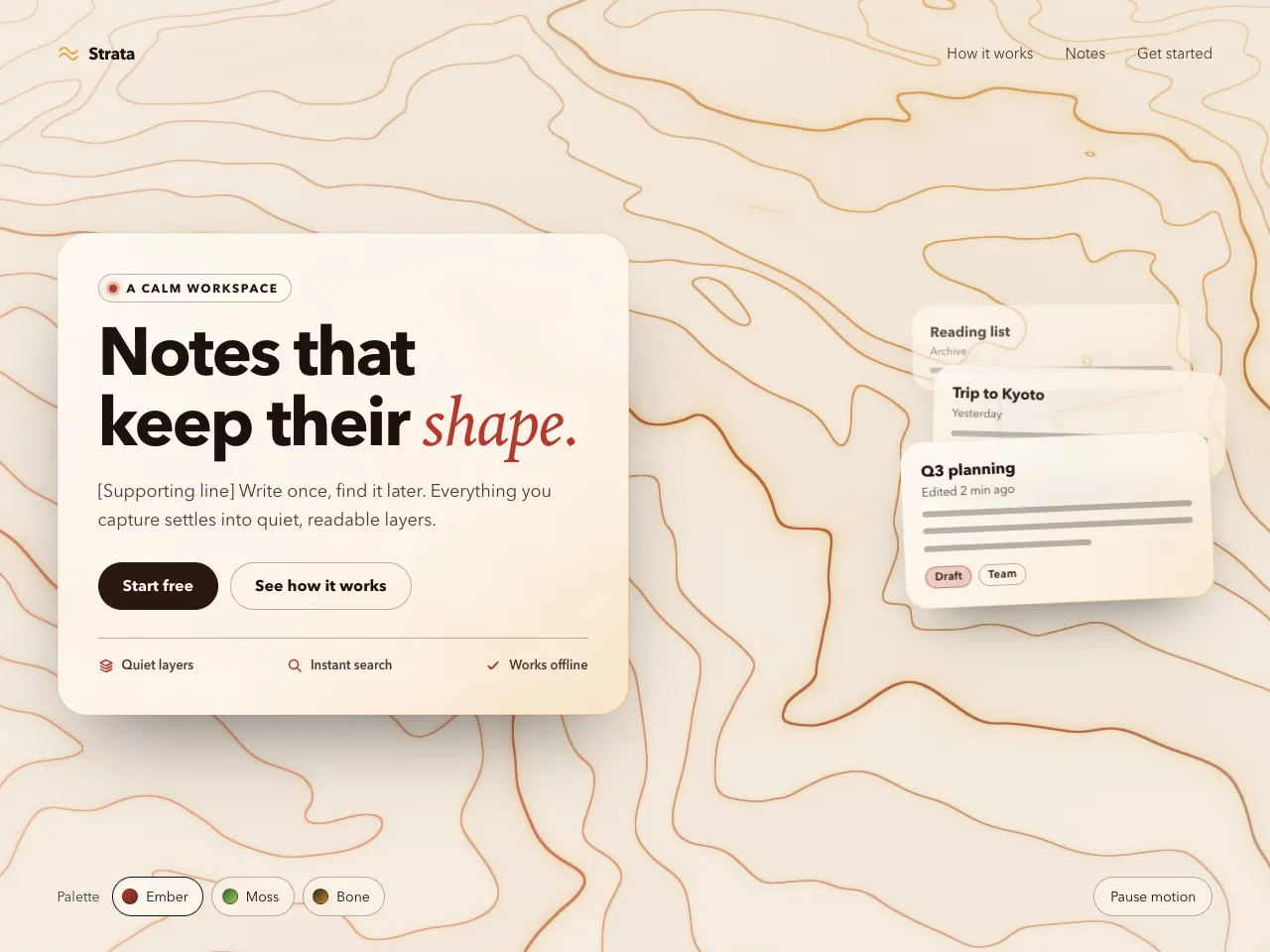
    Isoline Waves Background

    A drop-in animated background: one full-screen shader plane drawing luminous contour lines with relief tints, a key light and depth fog, four CSS-driven colours, a pointer bend and a refined glass card on top.

    • Dark
    • Glass
    • Cl
    • Cu
    • v0
    • Lo
    • Bo
    View

See every prompt

Questions

Do 3D website sections work on phones?

Simple Three.js scenes run well on most modern phones, but older ones can struggle. The prompts ask for light scenes with a still fallback when WebGL is not available, but test on a real phone before you ship.

Do I need to know Three.js to use these prompts?

No. You paste the prompt into your AI tool and it writes the code. Knowing a little Three.js helps if you want to adjust the scene afterwards, and every prompt page shows the live result first so you know what you are asking for.