
Content Creator
AI tools for content creators: what to use and what it costs
You're always behind on content. Here's the AI stack that scripts your videos, edits them by editing text, and turns one recording into a week of posts.
What the setup unlocks: All 4 budget plans · copy-paste AI wording · app connections · setup checklist · cheaper swaps · optional monthly research, a briefing and plan updates
7-day money-back guarantee, no questions asked.
ChatGPT
Plus
Descript
Free
Canva
Free
Who does what in this plan
Every job in the plan has an owner: you, or you with AI doing the work for you to approve. In your own account you can change any of them.
- You3
- You + AI9
Jobs this plan keeps human
Your on-camera voice and opinions
People follow you for you, so the point of view stays yours.
Brand deals and sponsor terms
Money and disclosure rules need a person who reads the contract.
Replying to your community
Real replies build trust that a draft cannot.
Final approval of anything public
Published content is on your record, so you watch it first.
Your website
A site for a business like this, drafted by the software
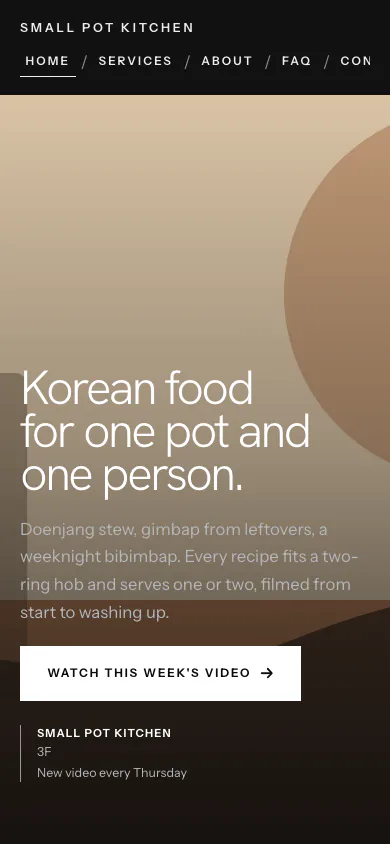
Small Pot Kitchen is a made-up home-cooking video channel. The software read its facts and picked the Canvas Look.
Why this Look
Canvas runs each picture edge to edge with a caption on top, so stills from the videos carry the page the way the dishes carry the channel.
Yours is drafted from your own answers. You edit it, and you publish it.
See all the examples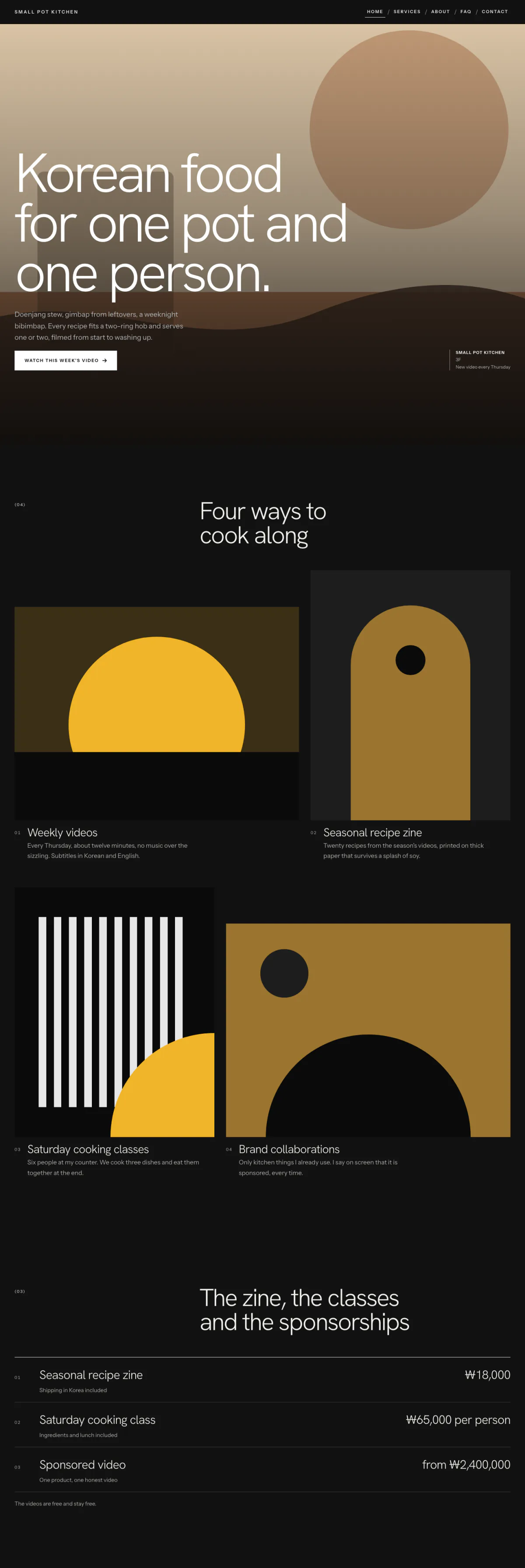
Hover or focus to scroll through the pageA still of the whole page
Pick your budget
Free on this page: the full $50 starter set of tools and every section of the sample plan. The $99 one-time setup unlocks all 4 budgets and setup steps for your plan, adapted to your answers, with AI drafts checked by a person. Optional Kept current at $29/month adds monthly business research, a briefing and plan updates. Starts only if you say yes. Stop any time and keep your plan.
What this budget buys
Script and edit faster, spend almost nothing.
$20/mo
3 tools
- DescriptVideo AI
- CanvaImage & design AI
- ChatGPTGeneral AI assistants
- Which plan to pick for each tool
- The order to set them up in
- A cheaper swap for each one
Unlocked by the one-time setupFind my plan
- General AI assistants$20
- Left for usage and growth$80
Leaves about $80/mo of your budget for usage costs and growth.
- Dapols setup
- $99 once
- AI development projects reviewed on Clutch
- $10,000–$49,999 per project
Source: Clutch AI pricing guide (checked Sep 23, 2026)
Preview — the $50 starter plan is shown in full · We re-check these prices in batches and show the date of the last check, but vendors change them whenever they like — always confirm on the vendor's site before you buy.
Cheaper swaps for every pick
We don't just name one tool. For each pick we show money-saving alternatives that do the same job — and the $50 starter budget is your leanest set of tools if you want the cheapest credible setup.
Smart swaps
Same job, different budget. Swap any pick for one of these if it fits you better.
Instead of ChatGPT:
Instead of Canva:
Instead of ElevenLabs:
Instead of HeyGen:
Instead of Runway:
- Kling AI · Standard · $10/mo — Cheaper, with strong text-to-video.
AI stack vs hiring — what you'd keep
Compare the yearly cost of a hire against the AI tool stack that does the repetitive work.
This stack includes usage-based pricing, so the exact monthly cost depends on volume — see the live prices below.
This compares cost only, and deliberately understates hiring (it excludes recruiting, onboarding, equipment, software, and management overhead). An AI stack does specific tasks with your oversight — it doesn't replace judgment, relationships, or accountability. The plan is a one-time cost added to year one.
Salary source: U.S. BLS OES, May 2023 (SOC 27-3043) · U.S. BLS Employer Costs for Employee Compensation
See if this is your planEverything inside this plan
What this looks like day to day
In plain words — no tool names, no jargon. AI drafts; you approve.
- — One recording becomes a week of captioned clips instead of an afternoon of scrubbing a timeline.
- — Scripts, titles, and thumbnail ideas get drafted from a topic, so the blank page stops being the bottleneck.
- — Narration gets generated from a script when a re-record isn't worth the hour.
- — The content calendar stays filled because ideas get batched, not improvised the night before.
- — Your voice and your judgement stay yours — AI drafts, you cut and approve everything that publishes.
Your first week
One task a day, none over twenty minutes.
- Day 1Drop your last long video into your editor and cut three captioned clips. Post one. · ~20 min
- Day 2Have your assistant draft your next script from a topic and a rough outline. · ~20 min
- Day 3Generate ten title and thumbnail options for that video and pick two to test. · ~15 min
- Day 4Batch a month of video ideas with hooks and park them where you plan from. · ~20 min
- Day 5Try an AI voiceover on one short and decide whether it's worth keeping. · ~15 min
Ready-to-use AI wording inside
· 6Script a video with a strong hook · paste into ChatGPT or Claude
Here is one of them in full.
Write a [LENGTH] video script about [TOPIC] for my [PLATFORM] audience ([WHO THEY ARE]). Start with a 3-second hook that stops the scroll, keep it conversational, and end with a clear call to action. Mark where B-roll would help.
The other 5 are in the unlocked plan, each with a note on when to use it.
AI helpers & app connections are part of the plan
· 4Ready-made AI helpers with safety rules, plus the app connections that plug your AI into the apps you already use.
One of them, in full:
- Repurposing agent — Turns each long-form piece into a platform-native bundle: thread, newsletter section, 3 shorts scripts, and quote graphics copy.
The remaining 3 are in the unlocked plan, with the safety rules set for your business.
How to set it up
Step-by-step, in plain English. Included with the plan:
- 1Use your general assistant to script videos, write titles and hooks, and plan a content calendar.
- 2Edit your recordings with a text-based AI editor — cut filler, add captions, and make clips fast.
- Steps 3–4 are in your unlocked plan
The one-time setup unlocks the full step-by-step setup sequence and every ready-made automatic job, customized to your answers.
Get my plan — 2 minutes, then $99
Automatic jobs you'll set up
- One recording → a week of clipsMedium6–12 hrs/mo
- Script & title generatorEasy4–8 hrs/mo
- 1 more automatic jobs come with the unlocked plan
Full how-to for each automatic job is included in the plan.
What to skip (for now)
Monthly research and updates, if you choose.
Your one-time purchase unlocks the full plan: setup steps, guides for each automatic job, ready-to-use AI wording and app connections, with AI drafts checked by a person. Nothing continues after that purchase. About a month later, we ask whether you want Kept current: monthly search, AI-visibility and competitor research, a short briefing, plan re-assessment, model notes, price alerts and dated Friday updates. It starts only if you say yes. Stop any time and keep your plan.
7-day money-back guarantee, no questions asked.
You're not left alone with it
Every plan includes consultation for the specific questions your business throws up — a step that doesn't match your setup, a tool you already pay for, a price that moved. A consultant at Dapols answers within 24–48 working hours. It isn't instant, and it isn't a bot you argue with.
Consultation with a person, up to 4 times a month
Bigger or more complex?
If your scope is bigger than one plan — several jobs, unusual systems, or a connection that needs a person — that's a custom engagement, quoted and invoiced directly, not through our checkout.
Questions about AI tools for content creators
What does AI cost for content creators?
Finding your plan is free: a short questionnaire, no card. The full plan is $99, paid once. The tools it names are bought from their own makers at the monthly budget you choose, and each one shows its price and the date we checked it. Dapols takes no share of what you sell or spend. Refunds are available for 7 days.
How long does it take to set up?
You get the whole plan the moment you pay. It starts with a first week of one small task a day, then a 90-day roadmap for the rest, so you set up one tool at a time, at your own pace. Dapols does not log in to your accounts or set the tools up for you.
What stays with me, and what does AI do?
Every job in the plan is labelled: yours to keep, or AI does the work and you approve it. In this plan, jobs kept with you include Your on-camera voice and opinions, Brand deals and sponsor terms, and Replying to your community. Nothing is sent, posted, bought or published on your behalf.
Is it a subscription?
No. The $99 is charged once and nothing renews by itself. There is an optional $29/month subscription that keeps your research and prices current. It starts only if you say yes, and you can stop any time and keep everything already delivered.