
Restaurant & Café
AI tools for restaurants and cafés: what to use and what it costs
Bookings, reviews, and socials pile up while you're running the floor. Here's how AI handles enquiries, replies to reviews, and keeps your marketing fresh.
What the setup unlocks: All 4 budget plans · copy-paste AI wording · app connections · setup checklist · cheaper swaps · optional monthly research, a briefing and plan updates
7-day money-back guarantee, no questions asked.
ChatGPT
Plus
Canva
Free
Tidio
Free
Who does what in this plan
Every job in the plan has an owner: you, or you with AI doing the work for you to approve. In your own account you can change any of them.
- You4
- You + AI8
Jobs this plan keeps human
Allergen and dietary answers
A wrong answer can hurt someone, so a person who knows the kitchen answers.
Menu pricing
Your margins are yours to set.
Handling an angry guest
Putting a bad night right takes a person on the floor.
Final approval of anything public
Reviews and posts speak for the restaurant, so you read them first.
Your website
A site for a business like this, drafted by the software
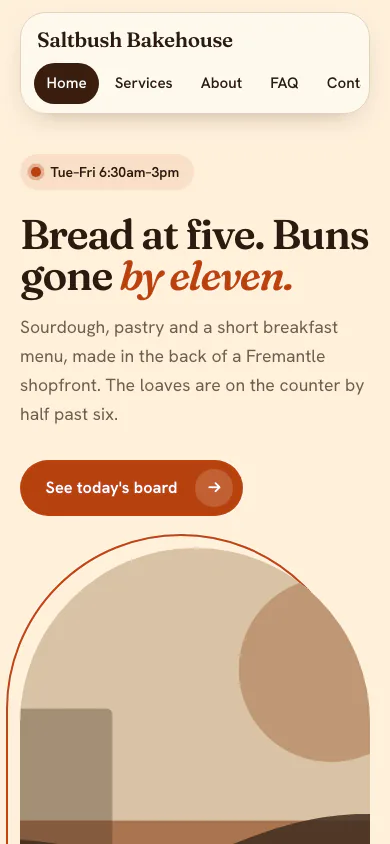
Saltbush Bakehouse is a made-up neighbourhood bakery and café. The software read its facts and picked the Hearth Look.
Why this Look
Hearth turns opening hours and a chalkboard menu into the first things a visitor sees, so the 6:30 queue is already on the page.
Yours is drafted from your own answers. You edit it, and you publish it.
See all the examples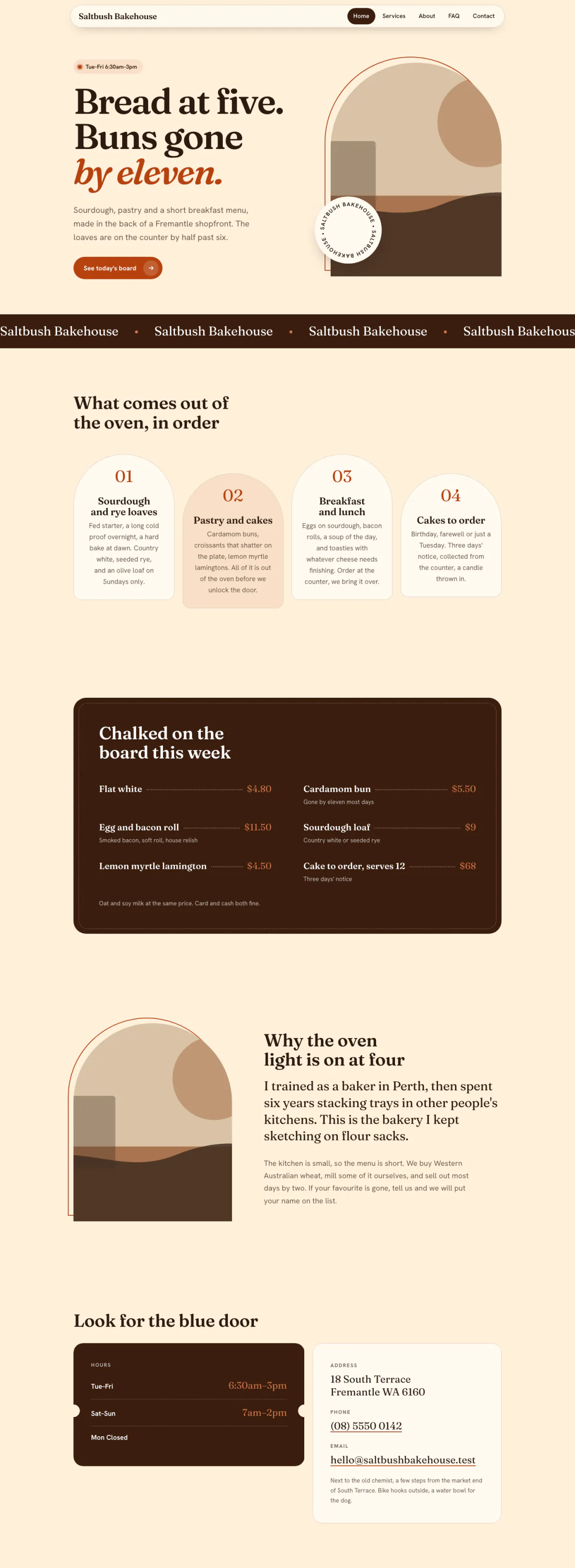
Hover or focus to scroll through the pageA still of the whole page
Pick your budget
Free on this page: the full $50 starter set of tools and every section of the sample plan. The $99 one-time setup unlocks all 4 budgets and setup steps for your plan, adapted to your answers, with AI drafts checked by a person. Optional Kept current at $29/month adds monthly business research, a briefing and plan updates. Starts only if you say yes. Stop any time and keep your plan.
What this budget buys
Answer diners and post socials cheaply.
$20/mo
3 tools
- CanvaImage & design AI
- TidioCustomer support AI
- ChatGPTGeneral AI assistants
- Which plan to pick for each tool
- The order to set them up in
- A cheaper swap for each one
Unlocked by the one-time setupFind my plan
- General AI assistants$20
- Left for usage and growth$80
Leaves about $80/mo of your budget for usage costs and growth.
- Dapols setup
- $99 once
- AI development projects reviewed on Clutch
- $10,000–$49,999 per project
Source: Clutch AI pricing guide (checked Sep 23, 2026)
Preview — the $50 starter plan is shown in full · We re-check these prices in batches and show the date of the last check, but vendors change them whenever they like — always confirm on the vendor's site before you buy.
Cheaper swaps for every pick
We don't just name one tool. For each pick we show money-saving alternatives that do the same job — and the $50 starter budget is your leanest set of tools if you want the cheapest credible setup.
Smart swaps
Same job, different budget. Swap any pick for one of these if it fits you better.
Instead of ChatGPT:
Instead of Canva:
Instead of Vapi:
Everything inside this plan
What this looks like day to day
In plain words — no tool names, no jargon. AI drafts; you approve.
- — Hours, bookings, and dietary questions get answered on your site instantly — during service, after close, always.
- — Every review gets a warm reply drafted for you to approve, with complaints moved politely offline.
- — This week's specials become the week's posts and chalkboard lines in one sitting.
- — Your reservations system stays exactly where it is; AI answers questions and captures details on top of it.
- — Nothing reaches a diner — a reply, a post — without your approval.
Your first week
One task a day, none over twenty minutes.
- Day 1Have your assistant draft replies to your three most recent reviews. Approve and post them. · ~15 min
- Day 2Add the website chat and teach it your hours, menu link, and booking details. · ~20 min
- Day 3Turn this week's specials into three posts and schedule them. · ~20 min
- Day 4Draft your three saved replies: large-group bookings, allergy questions, and 'are you open on…'. · ~15 min
- Day 5Have your assistant rewrite the two menu descriptions you've never loved. · ~15 min
Free sample plan — fully unlocked
This plan is open so you can judge exactly what a plan contains before the questionnaire assigns you one: the full set of tools at every budget, setup checklist, AI wording, ready-made AI helpers, app connections, and working habits.
Who does each job
This is the plan's suggestion. Change any job: your choice always wins.
- You4
- You + AI8
Sign up to change who does it.
Use your general assistant to write menus, social captions, and review responses quickly.
Setup step
You + AIWhy we suggested this
AI drafts menus, captions and review replies. You check every dish, price and claim.
Create menu designs and daily-special graphics with a design tool's AI.
Setup step
You + AIWhy we suggested this
AI makes the menu design and special graphics. You check the details are right before printing.
Add an AI chat assistant to your site to answer hours, booking, and dietary questions instantly.
Setup step
YouWhy we suggested this
You decide what the chat says about hours, bookings and dietary needs, and when it hands over.
For phone bookings, pick an AI voice agent (we give you options for your budget) to take reservations during busy service.
Setup step
YouWhy we suggested this
A voice agent speaks for the restaurant on bookings, so you set its rules and check what it took.
AI voice agent for reservations
Automation
YouWhy we suggested this
The voice agent takes bookings for you, so you set what it may promise and review each one.
A voice agent answers booking calls and captures details when the floor is slammed.
Draft replies to reviews
Automation
You + AIWhy we suggested this
AI drafts a warm reply to each review. You approve it and deal with the hard ones yourself.
Draft warm, on-brand replies to every review for you to approve.
Daily specials content
Automation
You + AIWhy we suggested this
AI drafts a week of posts from your specials. You check dishes and details, then schedule them.
Generate a week of social posts and graphics from your specials in one sitting.
Have your assistant draft replies to your three most recent reviews. Approve and post them.
First week
You + AIWhy we suggested this
AI drafts replies to your recent reviews. You approve and post them.
Add the website chat and teach it your hours, menu link, and booking details.
First week
YouWhy we suggested this
The chat only knows what you tell it. You enter your hours, menu link and booking details.
Turn this week's specials into three posts and schedule them.
First week
You + AIWhy we suggested this
A scheduler posts the week's specials at set times. You approve the posts first.
Draft your three saved replies: large-group bookings, allergy questions, and 'are you open on…'.
First week
You + AIWhy we suggested this
AI drafts the saved replies. You check anything about allergies is exactly right.
Have your assistant rewrite the two menu descriptions you've never loved.
First week
You + AIWhy we suggested this
AI rewrites two menu descriptions. You make sure they describe the dish truthfully.
Your first week
One task a day, none over twenty minutes. By Friday something in your business runs differently.
- Day 1You + AI
Have your assistant draft replies to your three most recent reviews. Approve and post them.
~15 min
- Day 2You
Add the website chat and teach it your hours, menu link, and booking details.
~20 min
- Day 3You + AI
Turn this week's specials into three posts and schedule them.
~20 min
- Day 4You + AI
Draft your three saved replies: large-group bookings, allergy questions, and 'are you open on…'.
~15 min
- Day 5You + AI
Have your assistant rewrite the two menu descriptions you've never loved.
~15 min
Tick each step as you go — your progress is saved on this device.
0/4- 25%not reached yet
- 50%not reached yet
- 75%not reached yet
How to work with these tools
The habits and loops that make the tools pay off — this is what separates owners who get value from AI from owners who just pay for it.
The daily 15-minute loop
starterPick ONE recurring task (quotes, review replies, social posts) and run it through AI every day for two weeks. One habit that sticks beats ten tools you opened once.
- 1. Choose the task you dread most that happens daily.
- 2. Save your best prompt for it where you can copy it in 5 seconds.
- 3. Run it every day for two weeks before adding anything else.
- 4. After two weeks, time yourself once — that number is your proof it's working.
Draft → review → send
starterAI drafts, you approve. Nothing AI writes reaches a customer, client, or the public without a human pass. This is the single practice that keeps AI safe for your reputation.
- 1. Let AI produce the first draft of anything customer-facing.
- 2. Read it as the recipient: check facts, names, numbers, and tone.
- 3. Fix what's off — your edits also teach you what to put in the prompt next time.
- 4. Only then send or publish. No exceptions for 'it looked fine'.
The weekly batch loop
intermediateGroup similar work and run it through AI in one sitting — a week of social posts, all follow-up emails, every invoice chase. Batching multiplies the time saved per prompt.
- 1. Collect the week's similar tasks in one list as they come in (don't do them one by one).
- 2. Once a week, run the whole batch through your saved prompt in a single session.
- 3. Review all outputs together — errors are easier to spot side by side.
- 4. Schedule or send the lot, then note what to tweak for next week's batch.
What to skip (for now)
Monthly research and updates, if you choose.
Your one-time purchase unlocks the full plan: setup steps, guides for each automatic job, ready-to-use AI wording and app connections, with AI drafts checked by a person. Nothing continues after that purchase. About a month later, we ask whether you want Kept current: monthly search, AI-visibility and competitor research, a short briefing, plan re-assessment, model notes, price alerts and dated Friday updates. It starts only if you say yes. Stop any time and keep your plan.
7-day money-back guarantee, no questions asked.
You're not left alone with it
Every plan includes consultation for the specific questions your business throws up — a step that doesn't match your setup, a tool you already pay for, a price that moved. A consultant at Dapols answers within 24–48 working hours. It isn't instant, and it isn't a bot you argue with.
Consultation with a person, up to 4 times a month
Bigger or more complex?
If your scope is bigger than one plan — several jobs, unusual systems, or a connection that needs a person — that's a custom engagement, quoted and invoiced directly, not through our checkout.
Questions about AI tools for restaurants and cafés
What does AI cost for restaurants and cafés?
Finding your plan is free: a short questionnaire, no card. The full plan is $99, paid once. The tools it names are bought from their own makers at the monthly budget you choose, and each one shows its price and the date we checked it. Dapols takes no share of what you sell or spend. Refunds are available for 7 days.
How long does it take to set up?
You get the whole plan the moment you pay. It starts with a first week of one small task a day, then a 90-day roadmap for the rest, so you set up one tool at a time, at your own pace. Dapols does not log in to your accounts or set the tools up for you.
What stays with me, and what does AI do?
Every job in the plan is labelled: yours to keep, or AI does the work and you approve it. In this plan, jobs kept with you include Allergen and dietary answers, Menu pricing, and Handling an angry guest. Nothing is sent, posted, bought or published on your behalf.
Is it a subscription?
No. The $99 is charged once and nothing renews by itself. There is an optional $29/month subscription that keeps your research and prices current. It starts only if you say yes, and you can stop any time and keep everything already delivered.